
How to Register
You can only register if you are a student over 14 years old or a family with a child or current student.
Students who are between ages 14-18 must have a parent/guardian register and set up the accounts.
Step 1: Click the Registration button in the top menu bar

Step 2: You will be prompted to fill out this registration form. Please remember your username as you will need it later in the registration process!
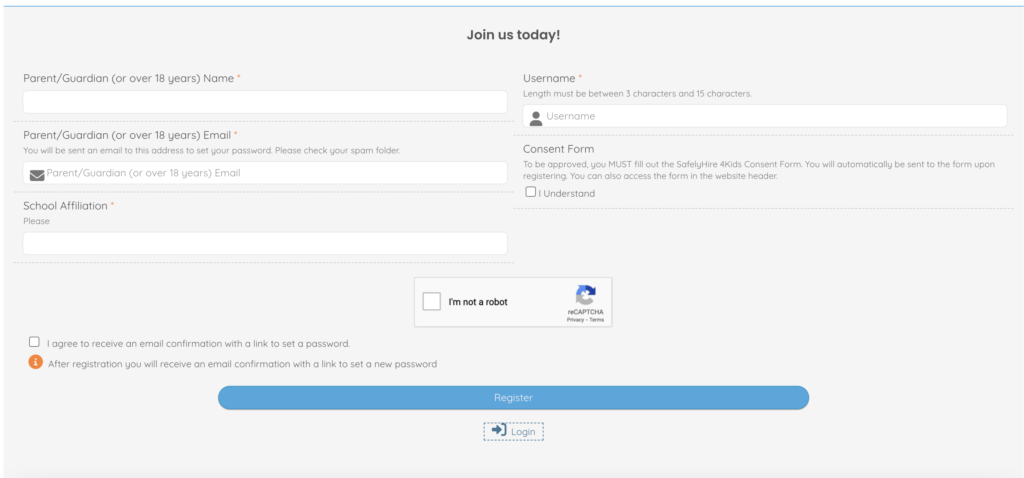
Step 3: Upon filling out the registration form, you will be redirected to complete the Parental or Adult Consent Form
You MUST fill out this consent form for your account to be approved and activated!
In this form you will need to re-enter your username.
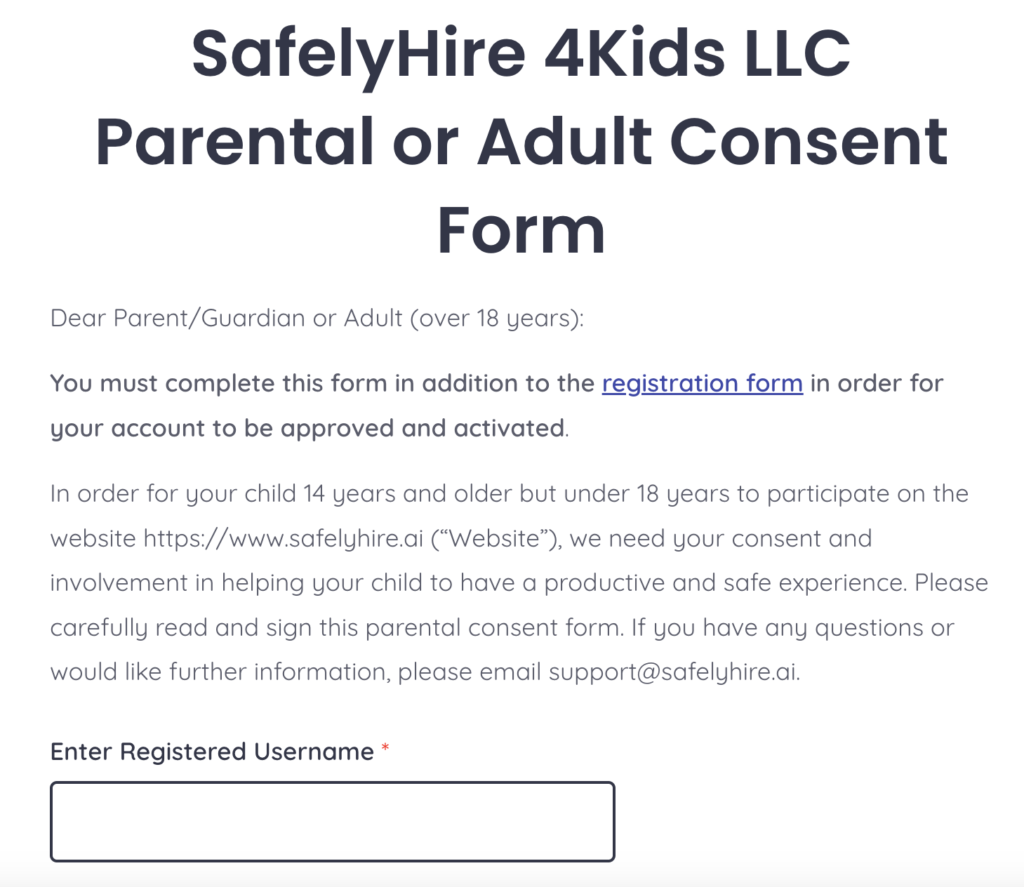
The consent form can also be found in the top menu bar.

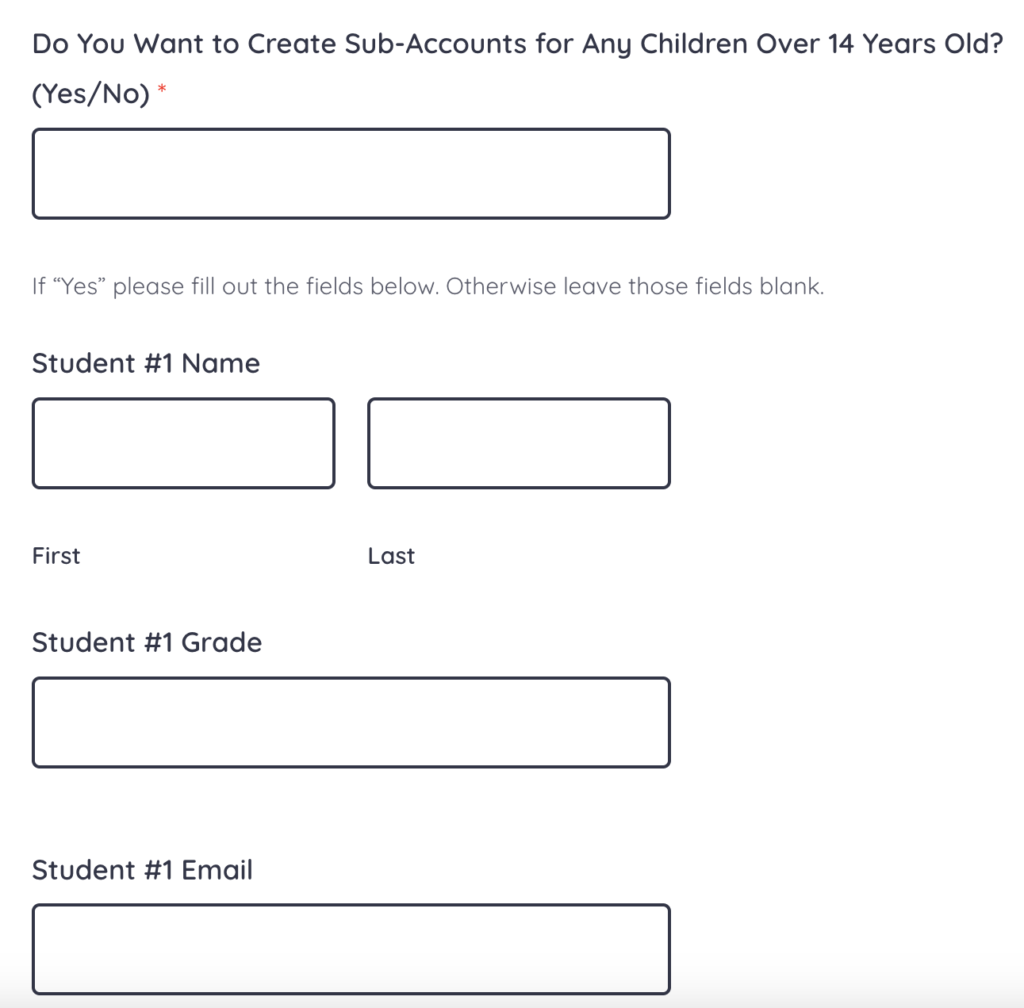
Step 4: In this consent form you are able to create optional sub-accounts for up to two other children aged 14-18 years old. This allows students to post on the forum with their own usernames. Parents/guardians are responsible for monitoring their child’s sub-accounts and posts.
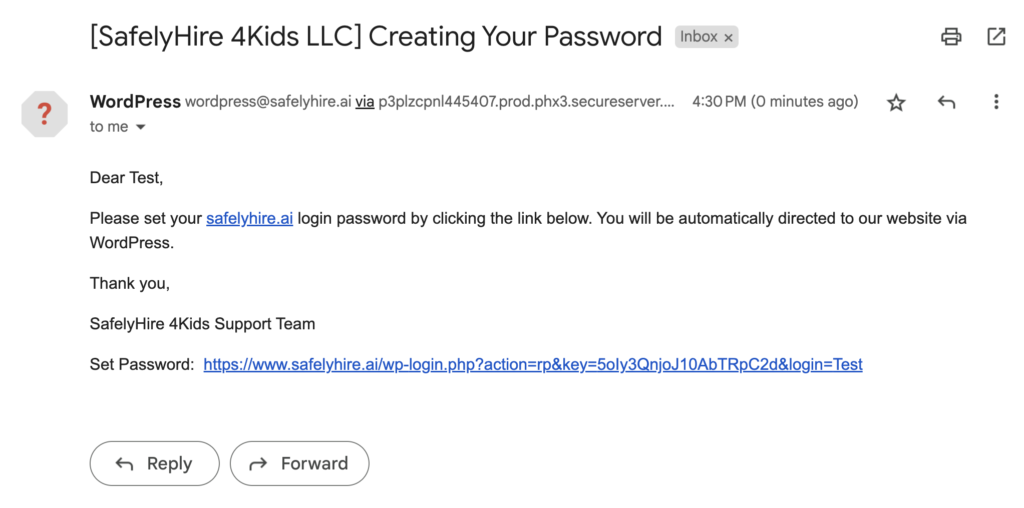
Step 5: An email will be sent to the Parent/Guardian email where you will create your password. If you do not see the email please check your spam folder.
*The password setup request for student sub-accounts will be sent to the entered student emails, NOT the guardian email.
Step 6: Once you have been approved, login using your username and password.
Please see the other FAQs on how to create posts and navigate the forum.
Happy posting!