
How to Create a Post
Step 1: Click on the Student Services Forum
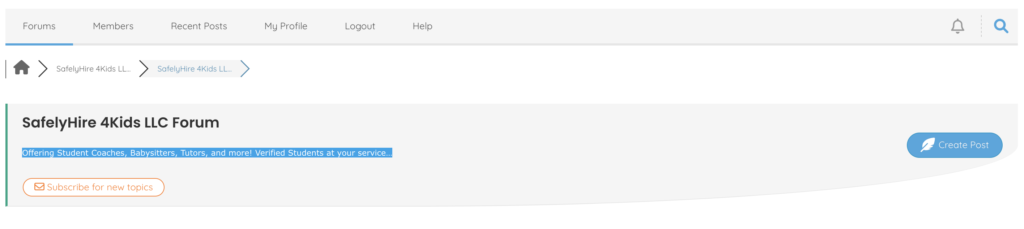
Step 2: And click the “Create Post” button

Step 3: Enter your title

Step 4: In the body enter details regarding the topic or job.

Step 5: Feel free to add topic tags.
Ex: Dog Sitter, Homework Tutor, Babysitter, Tennis Coach.

Step 6. Check the “Subscribe to this topic” box to get email notifications of all replies to your post.

Or click the “Subscribe for new replies” button to get email notifications.

Step 7: After posting, you are able to mark your post “Solved.” Please do this if and when the job or topic is fulfilled. You can also private or delete your post.
